
The design #
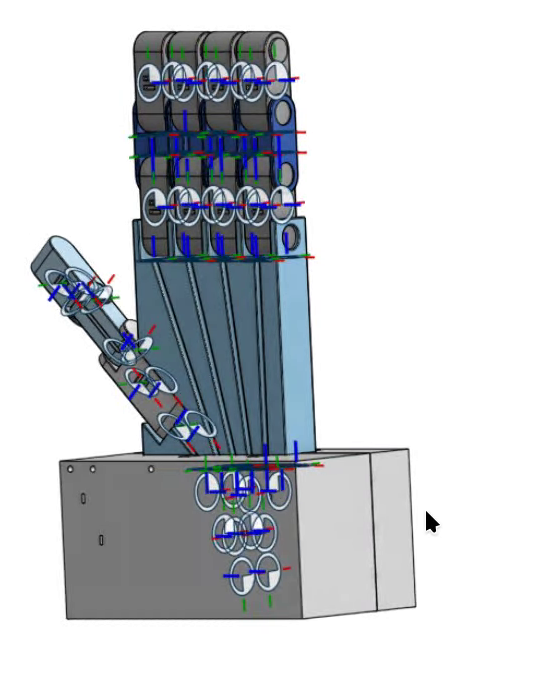
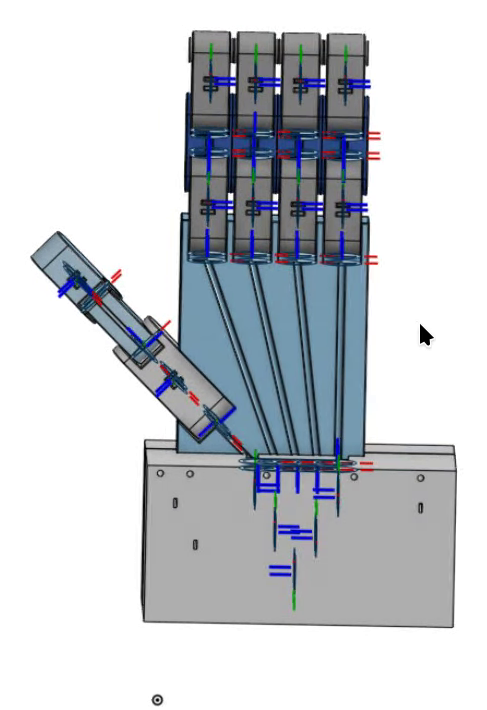
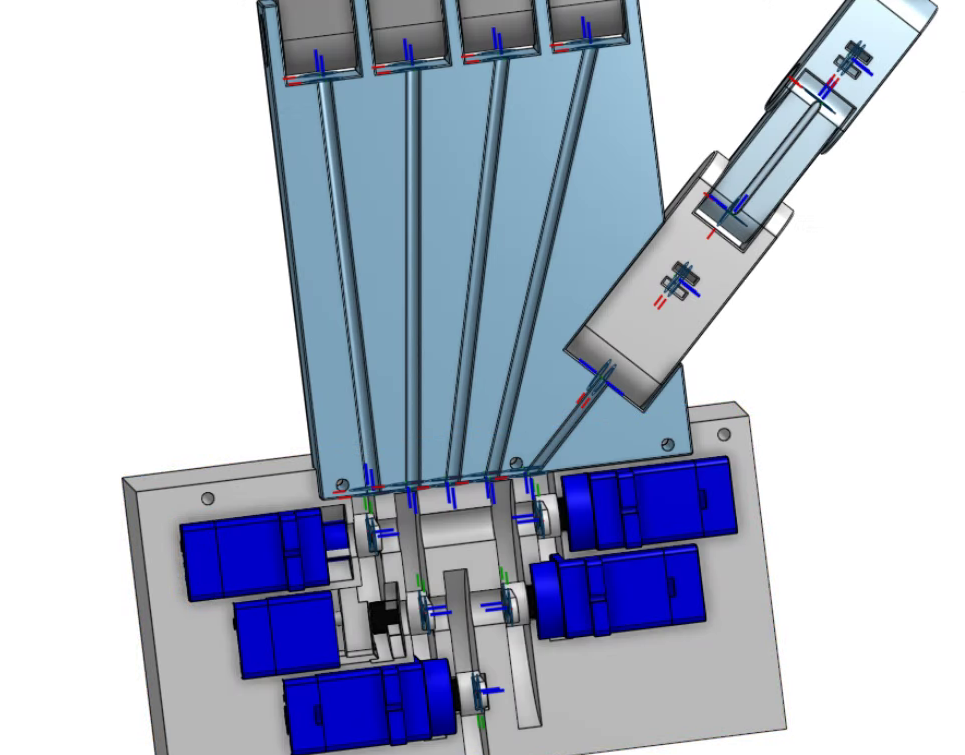
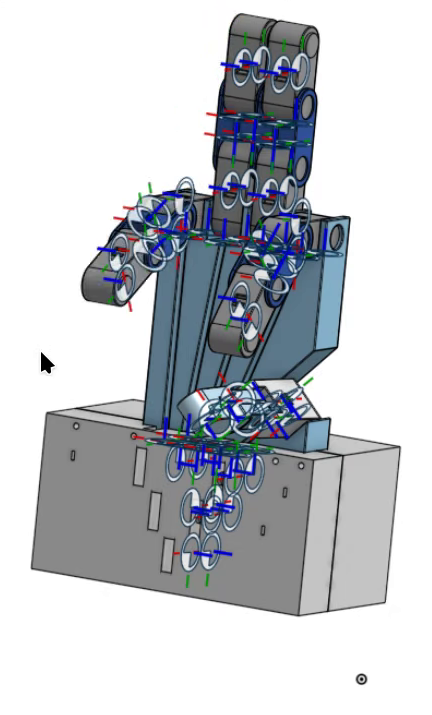
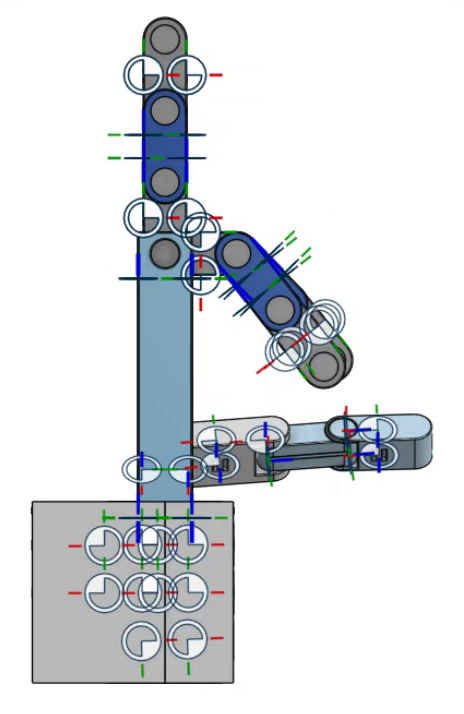
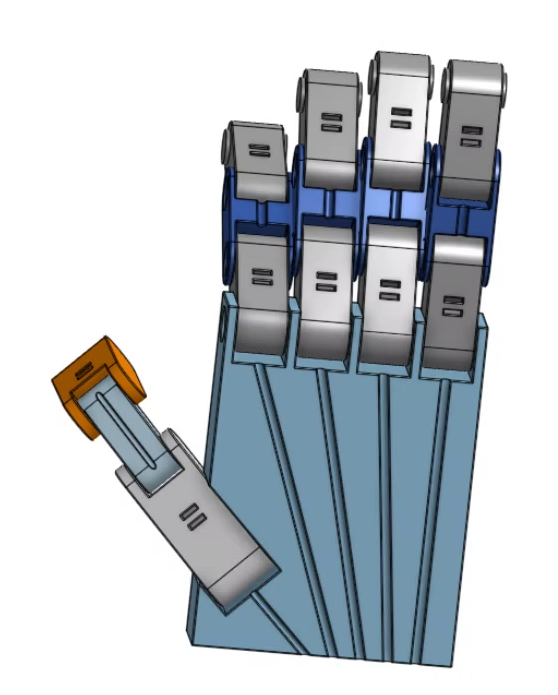
- Palm and fingers: four three-phalanx fingers and a three-segment thumb, every knuckle a revolute mate with limits. The RGB triads in the views are mate connectors.
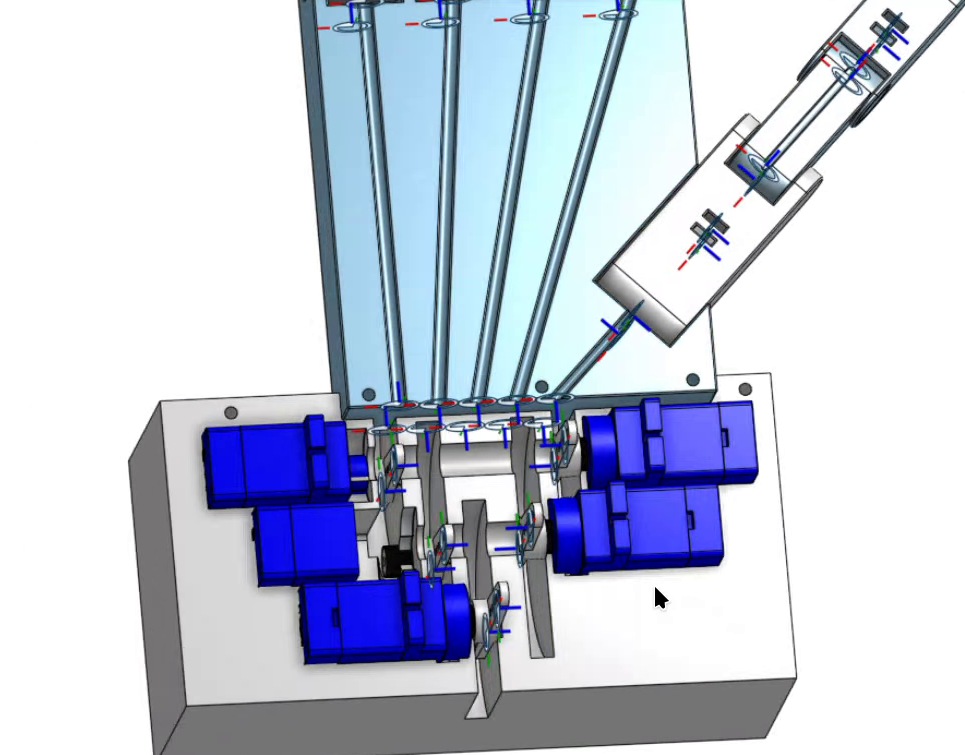
- Tendon channels: one per finger, running down the palm into the base.
- Servo block: five SG90-class servos, staggered so each horn sits under a tendon exit.
The design has a history #
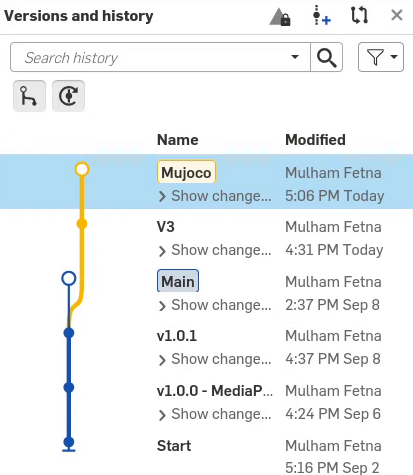
-
Start
2026-09-02
The first version in the history. -
-
v1.0.1 → Main
2026-09-08
Point release and the main line the later work branches from. -
V3 → Mujoco branch
2026-09-16
The current design used by this twin — the version with the servo base block shown above.
| Onshape version history | Mate features |
|---|---|
 |
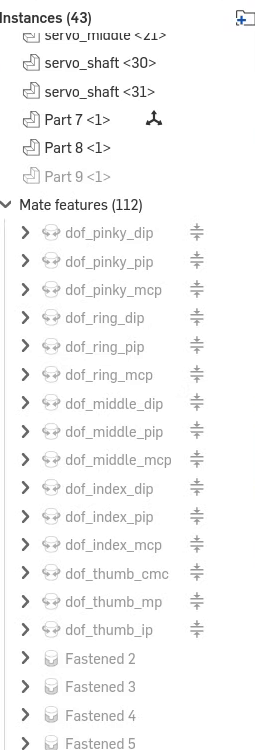 |
43 part instances, 112 mate features: the 15 dof_* knuckle mates, the servo mates, and many Fastened mates.
Mates become joints #
onshape-to-robot turns each mate into a MuJoCo joint and keeps its name, stripping the
dof_ prefix — dof_index_pip becomes joint index_pip. Naming in CAD is part of the software
interface.
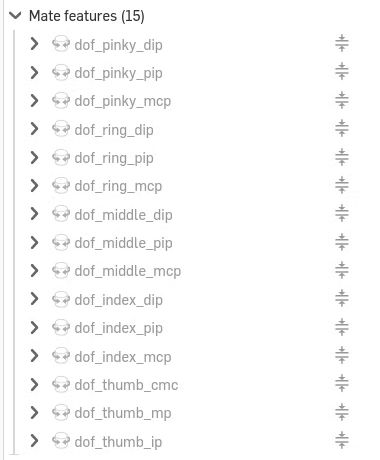
The model ends up with 20 hinge joints: 15 knuckles and 5 servo horns, with limits taken from the mates.
Running the export #
pip install onshape-to-robot                        # any recent Python; separate env is fine

# Onshape API keys — create at https://dev-portal.onshape.com/keys, keep them in a git-ignored .env
export ONSHAPE_API=https://cad.onshape.com
export ONSHAPE_ACCESS_KEY=...
export ONSHAPE_SECRET_KEY=...

onshape-to-robot mujoco_twin/model                  # the directory holding config.json
It writes robot.xml plus assets/*.stl (and .part metadata) into that directory.
robot.xml. The joint defaults and the <actuator> block are manual edits
that must be re-applied (Part 13).
Commit first, so git diff shows exactly what changed.
config.json, field by field
#
{
  "url": "https://cad.onshape.com/documents/a2dbb5f16624f10f1aa22f02/w/693ffc0be3e83ae21f78f6ed/e/4d69727744037003575f4068",
  "output_format": "mujoco",
  "clearance": 0.0,
  "ignoreLimits": false,
  "useMeshes": true,
  "mergeSTLs": "no",
  "additional_xml": "tendons.xml",
  "joint_properties": {
    "default": { "actuated": false },
    "servo_index":  { "actuated": true },
    "servo_middle": { "actuated": true },
    "servo_ring":   { "actuated": true },
    "servo_pinky":  { "actuated": true },
    "servo_thumb":  { "actuated": true }
  }
}| Field | Value | What it does | Why it matters for a tendon hand |
|---|---|---|---|
url |
assembly URL | document / workspace / element to export | a …/w/… workspace URL exports the current state; use …/v/… for a frozen, reproducible export |
output_format |
"mujoco" |
MJCF instead of the default URDF | MJCF can express tendons, sites and tendon actuators; URDF can’t |
additional_xml |
"tendons.xml" |
injects a file into the output | tendons and contacts survive every re-export (robot.xml carries <!-- Additional tendons.xml -->) |
clearance |
0.0 |
padding on collision geometry | 1:1 CAD tolerances — intersecting parts show up instead of hiding |
ignoreLimits |
false |
keep mate limits as joint ranges | the 90° knuckle stops come from here, and the tendon physics depends on them |
useMeshes |
true |
STL meshes for geoms | phalanges keep their real shape |
mergeSTLs |
"no" |
one STL per part | per-part mass and inertia stay accurate for 1.8–5.4 g phalanges |
joint_properties: keep the knuckles passive
#
By default the exporter actuates every joint — 20 motors, one inside each knuckle.
"default": {"actuated": false} makes the knuckles passive, so only tendons can move them —
which is what an underactuated hand is. The servo_* entries mark the horn joints as actuated, but in
the committed model those generated servo actuators are replaced by hand with five linear tendon
motors, and the horns spin freely.
CAD rules that make exports work #
- Name mates as you want joints named. Code and XML address joints and sites by name.
- Set limits on every knuckle — and mind the sign. The mate’s axis direction is exported as-is,
so some joints come out
[−90°, 0]and others[0, +90°]. This model has both (Part 14). - Define the tendon via-points in CAD as reference frames the exporter turns into
<site>s, following its frame-naming convention (documentation). A renamed frame fails at load time withError: site '…' not found in wrap N. - Avoid interpenetrating parts at the export pose.